

Cell Phones in Special Education
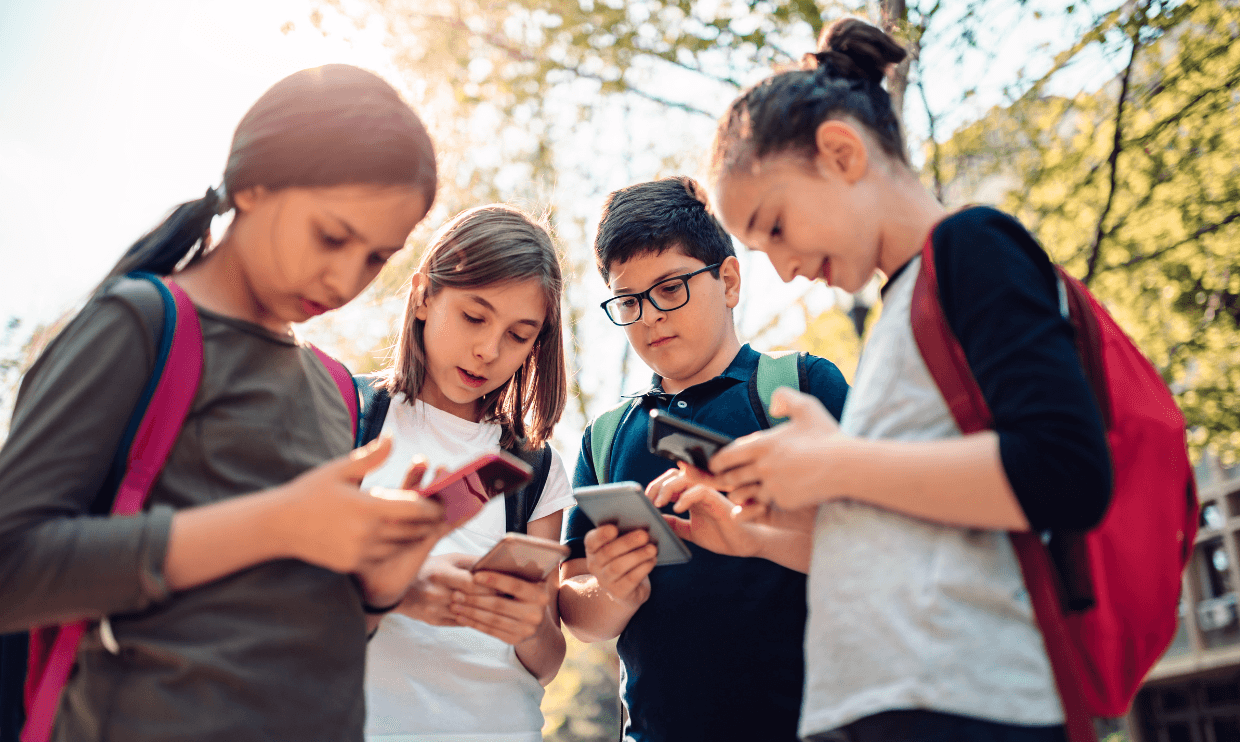
Everyone has a smartphone in their hands these days, even many of our kiddos. But increasingly, schools are limiting phone use — or even banning phones altogether. So what’s behind the shift, and what does it mean for students with disabilities who may rely on their phones for communication, medical needs, assistive technology, regulation support, or simply as a way to participate more independently at school?
If your child relies on their phone at school, you may be concerned about these cell phone policies and wondering if they could infringe on your child’s rights. For more information, we reached out to Sarah Pelangka, PhD, BCBA-D, education advocate and owner of KnowIEPs; Toby Tomlinson Baker, PhD, Los Angeles Unified School District’s Special education specialist, author of The Traveling IEP, and professor at California State University, Los Angeles; and a teacher at a private school for kids with autism and other learning differences.
From play-based childhood to phone-based childhood
Schools across the country are adopting or strengthening cell phone restrictions, largely because of concerns about distraction, attention, social media, and student well-being. Education Week found that “at least 39 states and the District of Columbia require school districts to ban or restrict students’ use of cellphones in schools,” also noting that many states have exemptions for students with IEPs and medical/health issues.
In California, Gov. Gavin Newsom signed the Phone-Free Schools Act back in 2024, a law that requires all public schools in the state to develop and adopt a policy by July 1, 2026, to restrict students’ cellphone use during the school day, with exceptions if there is an emergency, when they are given permission by school staff, when a doctor says that the student needs the phone for medical reasons, or when a smartphone is required in an IEP or 504 plan. (You can find your state’s exact policy in the Education Week article linked above.)
Why the increase in cell phone bans?
You’ve probably heard the argument that smartphones and social media have changed childhood. One of the researchers who has brought this conversation into the mainstream is social psychologist Jon Haidt, author of The Anxious Generation.
Haidt points to a striking shift that began in the early 2010s. After more than a decade of relative stability, rates of depression, anxiety, self-harm, and suicide among teens began rising sharply, with many measures more than doubling. Haidt proposes that the arrival of smartphones and social media was a “major cause” of this population-level increase in adolescent depression and anxiety. Haidt’s theory is that childhood was rapidly “rewired” — shifting from what he calls a play-based childhood to a phone-based childhood.
“The play-based childhood officially ends as teens' social lives move onto smartphones filled with social media apps,” he states on his website. By 2015, one in five American teen girls was reportedly using social media for more than 40 hours a week — essentially the equivalent of a full-time job. And the trend continued. By 2023, more than 46 percent of teens reported being online “almost all of the time.”
Haidt argues that heavy smartphone and social media use during adolescence can harm adolescent mental health, contributing to higher rates of internalizing problems such as anxiety and depression, as well as sleeplessness, loneliness, and delayed development of independence and adulthood skills. Later in the article, we'll talk about potential benefits of cell phone use, including socialization and functional life skills.
When the school gives mixed signals
Dr. Pelangka also points to a complication: in many schools, smartphones have become deeply embedded in how students access academics and extracurricular activities. She shares an example from her own daughter, who recently started high school.
“Something else I am learning — my daughter is a freshman, just started high school. Within the first week, she requested five different apps that teachers told them they ‘needed’ for school: Minga, which is a hall-pass app they use when they need to use the restroom while in class; Saturn, a scheduling app; StudentVUE, to see their grades; and Google Drive, to upload photos to their school-issued device through Bluetooth,” she says. “She’s also on the flag football team and is required to have the Band app as a player, and Hudl.”
For Dr. Pelangka, the experience highlights a larger contradiction in how schools are approaching smartphones. “We live in a world where if your child doesn’t have a smartphone specifically, they will be completely disconnected from academics, sports, all of it,” she says. “Schools are creating a space where our kids are required to have them.”
That also raises questions about equity and what happens when a student relies on a personal device. “What if it’s a personal device and it breaks? What if a family can’t afford a smartphone — their kid is completely missing out,” she says. This also raises questions about how these expectations square with California’s (and other statewide) restrictions on smartphone use in schools. While schools are being asked to limit students’ access to smartphones, they are simultaneously relying on apps and platforms that may require students to have smartphones in the first place.
Concerns about cell phones and students with disabilities
Blanket restrictions have also raised questions about the civil rights of students with disabilities who require assistive technology to access learning. Many students with IEPs or 504 plans need access to use a computer, tablet, cellphone, or other device. For example, for some students, a smartphone may connect to hearing assistive technology through an app that lets them adjust the volume, change programs, or control other features they need to access instruction.
Some states allow students to use a phone when a physician documents a medical need, while others don’t allow exceptions at all. In those cases, schools may offer alternatives, such as a tablet, but that device may be bulkier or may not work as well with a student’s hearing technology. As schools put stricter limits on phones, parents may be wondering:
- Will my child be singled out or harassed in the classroom for using a phone they need when other students can’t?
- Will my child stop using the phone they need because they feel ashamed to be the only one allowed to have it?
- Would my child be forced to reveal private information about their disability or health to justify having a cell phone?
- Could phone bans unintentionally separate students from their peers because their use of assistive technology goes against the rules in place for other students?
- Could students with disabilities be disproportionately disciplined for using a phone they’re legally allowed to have?
- How do we continue making sure our kids have access to the supports and accommodations they need, and at the same time, keep them safe and make sure the devices they use help them learn instead of getting in the way of it?
Do kids with disabilities need an exception to a schoolwide cell phone ban?
A school may have a clear rule that students cannot use cell phones during the school day — but that rule doesn’t necessarily apply when a phone is serving as assistive technology or supporting a student’s disability-related needs. If your child needs a phone, smartwatch, or another connected device to access the curriculum, communicate, regulate, or manage a medical need, it’s important to make sure those needs are clearly documented in their IEP or other school plan.
As Dr. Baker explains, schools generally expect students to keep their phones turned off and stored away during the school day. “If they have [phones], they put them in their backpack,” she says. But there can be an important exception when a student’s phone is being used as assistive technology. For example, if a student’s IEP specifies that they can use a cell phone to access the curriculum or as an accommodation, the school must follow that accommodation. “The teacher has to follow the IEP,” Dr. Baker says. “If there is an accommodation for a cell phone to be in the IEP, then the teacher must let the student use it. The IEP takes precedence over school policies.”
That doesn’t necessarily mean your child will need to use their personal cell phone at school. Dr. Baker notes that schools will often provide an alternative device or technology that allows a student to access the same support without relying on a personal phone. In other words, the goal isn’t necessarily to make an exception for a particular device; it’s to make sure your child has access to the assistive technology they need.
Dr. Pelangka says she has generally seen schools work with students when the need is clearly documented. “Personally, I have not experienced [cell phone bans] getting in the way of their needs,” she says. “I’ve actually seen success because I ensure that it’s written into the student’s IEP.” She has worked with students who rely on smartwatches, cell phones, and other devices as assistive technology and says she hasn’t encountered much resistance. Sometimes, however, a school’s first response is simply, “Oh no, we don’t allow that. We’re a no-cell-phone school.”
In Dr. Pelangka’s experience, that initial pushback often changes once the team understands why the student needs the device. “In most cases, for cell phones specifically, it’s more for anxiety purposes,” she says, “and so once we explain it, we make sure it’s written into the accommodation section or the behavior plan as well, and then it’s fine.” She says she has had only occasional resistance beyond that initial reaction, and that once the team talks through the student’s needs and formally documents the support, the issue is generally resolved.
For parents, the takeaway is that a schoolwide cell phone ban should not prevent your child from receiving the disability-related supports they need. Clear documentation can help prevent confusion when a school has a blanket “no cell phones” policy and make it clear to everyone when and why your child needs access to the device.
Before we dive into all the challenges that cell phone bans may bring about, let’s explore some of the ways our students actually use cell phones at school. Our experts share some examples they have seen:
Communication and language
- AAC apps and other AAC tools to support communication
- Digital keyboards and spelling tools, including S2C/spelling
- Speech-to-text and text-to-speech for completing assignments, writing emails, or communicating
- Apps that transcribe live speech into live text
Translation and communication tools
- Reading and writing support
- Apps that read text aloud for students with dyslexia, visual impairments, or other reading disabilities
- PDF readers and accessibility tools for students with dyslexia
- Apps such as Otter, Letterly, and Speechify that transcribe speech
Hearing-related technology
- Hearing aid apps and other hearing-related technology that pairs with a phone
- Apps that transcribe live speech into text for students who are d/Deaf or hard of hearing
- Apps that detect and signal environmental sounds, such as fire alarms
Vision-related technology
- Visual impairment tools and devices that pair with a phone
- Apps that read text aloud for students with visual impairments or learning disabilities
- Using Google Lens to take photos of the board or classroom materials and access the information digitally
Medical and health needs
- Medication-management and other health-related apps
- Other disability-related medical technology that communicates through a phone
For example: continuous glucose monitoring. One teacher shares that a student in their classroom used their phone as a Bluetooth-connected device to receive information from an app that monitored their glucose levels throughout the school day. The student’s pump and glucose monitor sent information to the phone, which could alert the student if their blood sugar was getting low. The app could also notify the student’s parents if something was wrong, allowing them to contact the school if the student needed medical assistance or help getting their blood sugar back up.
Regulation and sensory support
- Calming music or other apps used for emotional or sensory regulation
- Timers and visual schedules
- Other tools that help students regulate or transition between activities
Organization and learning
- Reminders and organizational supports
- Setting timers for assignments, transitions, or other activities
- Recording information for later review
For some students, a phone can make information more accessible through tools like Google Gemini. The teacher we spoke with shares that a student who struggles with reading can take a photo of a document or other text and ask Gemini to read it or explain what it says. For example, while playing D&D as part of a class activity, the student might photograph their character sheet and ask, “What’s my stealth score?” They can also use it to look up information about a game or help with math. In these cases, the phone isn’t just providing entertainment — it’s helping the student access information that might otherwise be difficult to read or understand.
Could using a phone be a legitimate skill or IEP goal?
For some students with extensive support needs, learning how to use a phone may be an important functional life skill — not simply a convenience. After all, most people use their phones to communicate, make plans, get help, navigate their communities, maintain relationships, and increasingly manage everyday tasks.
Dr. Pelangka thinks schools should consider teaching these skills explicitly, particularly for students who may not pick them up independently. For her, this is also part of a larger question about whether functional skills programs are keeping up with the world students will actually live in. She says she still sees goals that feel outdated, such as learning to read an analog clock or count pennies. Instead, she says, schools should be looking at the skills people actually use today. “I think getting with the times is really important. I guess that comes with the curriculum and whatever teachers are being taught in their credentialing program, but yes, most people have cell phones nowadays, and most people send text messages,” she says.
That could mean teaching students how to write and respond to texts, receive messages, and communicate with other people through their phones. And students don’t necessarily need to type everything independently for texting to be a meaningful skill. Accessibility features can make communication possible in different ways.
“Whether it's speech to text, voice texting — which is the same as speech to text on their Chromebook — that's one way they can do it if they're not able to spell on their own. Predictive text, word prediction, if any of those adaptations would work, then I think that would be a great skill for students to learn,” Dr. Pelangka says.
Texting may also be more relevant to students’ everyday lives than some traditional communication goals. Dr. Pelangka tells us that in addition to teaching students to send emails — which is a current goal being written for many students and is arguably a relevant skill — teaching them to text can also be a very useful skill.

Learning phone safety
Learning to use a phone independently isn’t just about knowing which buttons to press. Depending on the student, functional phone instruction could include calling someone for help, identifying contacts, using accessibility features, managing notifications, using a calendar or reminders, navigating transportation or community apps, and knowing when and how to ask for help. It can also include something that is easy to overlook: learning how to communicate safely and understand what other people are communicating online. Dr. Pelangka says some of these skills can potentially be addressed through IEP communication goals, particularly with support from a speech-language pathologist.
“I've had it written into IEPs through communication goals that the SLP works on, and it's not written explicit to tech per se, or cell phones or social media, but a goal that's very specific to teaching kids how to understand the social nuances like tone, facial expressions, context,” she says.
Those skills can become especially important for students who may have difficulty recognizing when someone is being sincere, joking, teasing, or intentionally making fun of them. “I've had many kids on high school campuses where they've been encouraged to do things that we know is [someone] making fun of them, and they don't detect that, and then it gets recorded, and then it gets posted, such as doing dances in the lunch area and things like that,” she explains.
This is where phone and digital safety skills can become part of a student’s educational needs. If other students are recording your child at school, posting videos of them, or sending them hurtful messages, Dr. Pelangka says the school can’t simply treat that as something happening outside of school. The question then becomes: how can the school help the student recognize and respond to those situations? “How are we going to protect this kid? The reality is, we can't get all the cell phones away, and we can't make every other kid stop. But what we can do is do our best to teach our kids, these students, that safety piece — how to recognize when someone's being genuine versus not — as best we can.”
A speech-language pathologist may be particularly well positioned to help because recognizing tone, context, intent, and other social nuances falls within pragmatic language, “so that's another space actually that things like this can be supported in a little bit more controlled setting, and they can probably whip out the phone or use some examples through role play or videos and teach specific cyber stuff,” Dr. Pelangka adds. “You can write cyber-specific goals so that kids can learn the safety piece because schools are using YouTube and Google platforms where kids are able to speak to one another, and kids can send mean things.”
Parents don’t necessarily have to wait for a problem to happen before raising the issue. If students are communicating through school platforms, sending messages during the school day, recording one another on campus, or otherwise using technology in ways that affect a student’s ability to participate safely, those concerns can be brought to the IEP team.
“If parents use those arguments, like ‘This is happening on your campus, and these are messages that are being sent to my child’ when they're in class or out at lunch or wherever, then they do need to address it. The flip side, though, is making sure that the campus culture is one that is really trying their best to support more inclusivity and ensuring that when those things are happening, something is being done. Because the reality is it's the real world. We can't make everybody be inclusive, but we can make sure that there's consequences when things like that are happening,” Dr. Pelanka tells us.
What might this look like in an IEP?
If phone use is an important functional skill for your child, the IEP team can consider whether your child needs explicit instruction and support, rather than assuming they will figure it out on their own.
Depending on the student, that could include goals or instruction related to:
- Writing and responding to texts
- Using speech-to-text, voice texting, or word prediction
- Calling a trusted person for help
- Identifying and managing contacts
- Using accessibility features
- Managing notifications
- Using a calendar, reminders, or other organizational tools
- Navigating transportation or community apps
- Knowing when and how to ask for help
- Recognizing when someone is being genuine, joking, or making fun of them
- Understanding tone, context, and other social cues in digital communication
- Recognizing unsafe or inappropriate online interactions
- Knowing what to do if someone records or posts something about them
- Practicing these skills through role-play, videos, or supported real-world situations
Making a phone accommodation work at school
Getting a phone accommodation written into an IEP or 504 plan is an important first step, but it’s not the end of the conversation. The team also needs to work out what the accommodation will actually look like during the school day. The more specific the plan is, the less likely it is that the student will be left to explain or defend their phone use on their own. Here are some things to consider when it comes to phones at school.
Talk to the IEP team
If a school has a blanket cell phone ban, parents may wonder whether their child’s need for a phone or smartwatch should be documented in their IEP or 504 plan. The answer depends on why the student needs the device and what support it provides. Here’s what parents can do:
- Request a team meeting. Don’t rely on a verbal agreement with a teacher or administrator. If phone access is needed as an accommodation or support, ask the full team to discuss it and make a team decision.
- Come prepared with the “why.” Explain exactly what your child uses the device for and how it helps them access instruction, communicate, regulate, complete work, or manage a disability-related need. Bring examples of apps or technology that are already working for your child.
- Ask for an assistive technology assessment. You don’t have to know the name of the right device or app ahead of time. You can formally request an AT assessment to determine what technology could help your child.
- Get the accommodation in writing — and be specific. Rather than simply saying, “Student may use their phone,” spell out what the student can use it for, when they can use it, and what technology they need. For example: “Student may use their phone and earbuds to listen to music as a regulation strategy during non-instructional periods,” or, “Student may use [app name] during reading activities to access text.”
- Think beyond the accommodation section. Depending on the reason for the device, the support might also belong in another part of the IEP, such as a behavior plan or healthcare plan. If the student needs to learn how to use the technology independently, an IEP goal may also be appropriate.
- Put requests in writing. If you’re requesting an AT assessment or a meeting to discuss technology supports, send the request by email so there’s a clear record of what you asked for.
Dr. Pelangka explains more about these steps in this clip.
Dr. Baker adds that, in her experience, schools will often identify a general “device” as an accommodation during an assistive technology assessment rather than specifically naming a cell phone. That device could be a Chromebook, tablet, or another piece of technology. But if a student specifically needs a cell phone, she says the most important question is: what is the purpose of the device, and what will the student be doing with it?
That distinction matters because phones can serve as powerful assistive technology. The accommodation should therefore focus on the function of the technology, not simply on giving a student unrestricted access to a phone. “It’s not to hang out and do, you know, Instagram and TikTok,” she says. For parents, that means being as specific as possible about which app or feature their child needs, what they’ll use it for, and when they need access to it. Possible parent questions to ask during the meeting:
- What disability-related needs does my child currently use their phone to address?
- What is the purpose of this device?
- Can we document this as an assistive technology or accommodation need?
- What specific IEP goals can we create related to phone use?
- How will staff know that my child is permitted to use their phone?
- What happens if a substitute teacher or another staff member sees my child using it?
- How will we protect my child’s privacy?
- What is the plan if the phone is confiscated?
Should I tell my child’s teachers they’ll be using a phone?
You might be tempted to email each of your child’s teachers and say, “Just a heads-up — my child will be using their phone at school.” But if the phone is a disability-related need, it shouldn’t be treated as a parent preference or a special arrangement you’ve made with individual teachers. And ideally, the case manager should be relaying that information to all teachers.
As Dr. Pelangka explains, “It’s not something that is a preference. It’s a need. So if it’s something the student needs, then it should be written into their IEP. That’s the number one rule.” The plan should specify what device the student can use, why they need it, and when they’re allowed to use it. Teachers should receive the relevant information from the school, and the case manager should make sure the team understands how the accommodation is supposed to work.
That last part is particularly important as children get older and have more teachers. “Especially for middle and high school age students — not every teacher is sitting down and reading these IEPs,” Dr. Pelangka says. “They’re going to read the front page. They’re going to see, ‘This is why they have the IEP. These are the accommodations I’m supposed to implement.’ And if the accommodations aren’t very specific, it makes it even more subjective, so it’s really up to the case manager to be as clear as possible.”
Instead, Pelangka recommends making the communication about the existing accommodation. A parent could provide a brief one-pager called an All About Me saying, in effect, My child has an IEP, and phone access is one of their accommodations. I wanted to make you aware because I know cell phones are restricted in the classroom. But ideally, the case manager is the one making sure every teacher understands when, why, and how the phone or smartwatch should be used.
What can my child actually do with an approved phone?
Getting an exception to having a phone at school doesn’t necessarily mean a student can use it however they want. Dr. Baker says the school staff will know which students have approved devices, but there still needs to be a clear understanding of what the phone is being used for and what is — and isn’t — allowed.
Dr. Baker says there’s another issue parents and IEP teams need to think about: the phone’s camera: “Again, going back to the purpose of the phone as a tool is pictures,” she explains. Schools may already have rules about when students can take photos or videos. At Dr. Baker’s elementary school, for example, students may be videotaped as part of school activities when the appropriate waiver has been signed. Teachers may also have students take pictures of their completed schoolwork using school-issued iPads and upload the image to the classroom platform so that parents can see the work.
“Is this a device where you can make a video? Yes. So if the student is approved to have a cell phone, what is the purpose? Are they taking pictures of other students just because? To have them? Or they made a new friend and they want a picture with them? Is that acceptable?”
Also note that schools can set their own rules about when and how students may use phones, including restrictions on taking photos, recording video, or capturing audio on campus, such as the Phone-Free Schools Act (AB 3216) in California.
That’s where the distinction between using the phone as a tool and using it for personal purposes becomes important. The same questions can come up with screenshots or schoolwork. If students are normally allowed to photograph their work with a school-issued iPad, for example, does a student with an approved phone accommodation have the same option?
“We have iPads to take pictures of schoolwork,” Dr. Baker explains. “When you have finished your worksheet, the student is told to take their iPad, take a picture of it, and upload it to Class Dojo so your mom can already see before you get home that you finish that math worksheet. Can you take it with a phone? I don't know. Is the student allowed to take a screenshot with their approved phone? How come the other kids aren’t? I don't know. So if that's an approved device, how are they using it? That's a whole other consideration.” For parents, this is another reason to ask the IEP or 504 team to be specific. If your child needs to use their phone’s camera or video function for schoolwork, ask that the plan spell out when and how they can use it.
What if my child keeps getting stopped by staff for having their phone?
One potential problem with a schoolwide cell phone policy is that your child may be stopped by someone who doesn’t know about their accommodation — a substitute teacher, campus supervisor, aide, administrator, security staff, or even someone working in another part of the school. If the student is expected to explain over and over why they’re allowed to have a phone, that can quickly become exhausting or embarrassing. And for a student who has communication difficulties, explaining their accommodation to an unfamiliar adult may not even be possible.
Dr. Pelangka says the solution shouldn’t be to make the student responsible for educating every adult they encounter. “Some students might be able to do that and say, ‘Hey, maybe you should talk to my case manager, my teacher, or maybe I’ll have my mom call you,’” she says. “But many students may not be able to do that.” Instead, the responsibility should fall on the school to make sure the staff who may interact with the student know what they need to know.
That doesn’t mean every staff member needs access to your child’s entire IEP or private medical information. Schools can share only the information staff need to keep the student safe and appropriately implement their accommodations.
Learn more about what to do in this clip.
What can parents ask the school to do?
- Ask the IEP team or AT expert to communicate the accommodation to relevant staff. This may include teachers, aides, campus supervisors, administrators, substitutes, security staff, librarians, and other employees who regularly interact with students.
- Protect the student’s privacy. Staff should know enough to implement the accommodation without unnecessarily sharing the student’s diagnosis, medical information, or other details from their IEP.
- Consider a way for staff to identify the student when necessary. Pelangka notes that for some students, schools may even use a photo so staff who don’t regularly interact with the student know who they’re looking for.
- Ask to be notified if the accommodation is challenged. If someone confiscates the phone or stops the student, parents should ask who addressed the student, what happened, and when it occurred so the school can make sure the relevant staff are properly informed going forward.
- Parents can also ask for language in the IEP specifying that relevant campus staff will be trained, consulted, or informed about the student’s accommodation.
Would my child have to tell everyone about having an IEP?
Dr. Pelangka makes it clear that students never have to share information that’s private if they don’t want to: “They do not ever have to share that they have an IEP or a 504 plan. Of course, that's up to them. If they choose to share that, that's completely their choice. But a teacher should never share that with any other student, of course, or anybody on campus unless there is student or parental consent. That's confidential per FERPA, and it's not something that should ever be shared with other students. But if that particular student chooses to say, ‘Because my IEP says so,’ then of course that's up to them.”
What happens if the phone breaks, gets lost, or doesn't work?
If your child is using a phone as an educational support, there’s one practical question you’ll want to answer ahead of time: what happens if the phone breaks, gets lost, or stops working? Dr. Baker says this is an important distinction because school-issued technology usually comes with an established system for repairs. “Most of the school devices are contracted through the school district, and they have a whole team who repairs the iPads and the Chromebooks and headphones.”
But what happens when the device being used by the student is a family-owned phone? “If it's a non-school device that the child is utilizing, who's responsible for fixing it if something goes wrong, or if the app doesn't work, or the program doesn't work? Who's the contact person?”
Dr. Pelangka wants parents to know that if the IEP team determines a student requires any form of AT to access curriculum, they are obligated to provide it. “This is critical because many school teams ask families to send their child’s iPad as their AAC device and they don’t inform families of their obligation to 1) assess and 2) provide a school-issued device. So families should know that they are NOT required to send their own family-owned device to school,” she says. However, note that if the device is a smart watch or phone for medical or social-emotional needs, and the team agrees to this as a need and it’s written into the iEP, discuss and plan, including the back-up. If the device dies or breaks, what’s the back up plan, particularly for medical needs?
That’s something Dr. Baker recommends figuring out before the phone becomes an essential part of the student’s school day. Parents can ask the IEP team who at the district is responsible for overseeing or supporting the technology and how that person will be involved if something goes wrong. She points out that other specialized services often have a designated person who consults with the school. For example, “Most devices for DHH or d/Deaf or hard of students have the audio visual department or the audiology department. They have an audiology specialist who comes a certain amount of time, whether it be monthly or weekly, to consult.”
There’s also a bigger issue to consider if the student is using a parent-purchased phone for school applications. Dr. Baker says the team should clarify how those applications will work within the school’s systems. For example, imagine a student submits an assignment using their phone, but something glitches and the assignment doesn’t go through. Who is responsible for making sure the student isn’t penalized for a technology problem? “That could be something that comes up, so that needs to be discussed ahead of time exactly. Again, how is the tool going to be used?”
And don’t forget about what happens at home. If the same phone is being used at school and at home, parents and the school should have a plan for what happens if the device is damaged at home, left at home, or unavailable the next morning.
“If something happens to the device at home and it doesn't come to school the next day, but the student needs it, what does that look like when they say, ‘Well, I left my phone at home, so I can't use it,’” especially if they use for communication or AAC. In that situation, the student has lost access to a tool they need to participate in school. Dr. Baker says parents should ask the school administration who can help when these issues arise.
Could an cell phone exception make my child feel singled out?
What if classmates ask, “Why do you get to have your phone?” An exception that allows a student to use a phone or other device at school can sometimes make them feel like they stand out — especially if everyone else is expected to put their devices away.
Dr. Pelangka says, “100% yes, I do think it makes them stand out when it is a situation in which they are allowed to have a device and others are not allowed to have it out again.” She hasn’t seen this become a major issue with cell phones specifically, in part because students often have their phones out anyway despite the rules. But she sees this concern come up frequently with accommodations in general.
“I see a lot of resistance to students wanting to use accommodations in general because of that specific issue,” she explains. “I’m the only one that has a multiplication chart during the test,’ or ‘I'm the only one who gets to use a calculator,’ or, ‘I'm the only one who gets to have my textbook out, so I don't want to use it.’”
The same thing can happen with a phone. For a student who is aware of that difference and able to express it, feeling singled out can become a real barrier to using the support they need. Dr. Pelangka sees this happen even when an IEP team has worked hard to put excellent accommodations in place. “We're writing these immaculate, wonderful IEPs, and we have all these supports, but the student completely refuses all of it. They don't want to look different. They don't want to be the only one, or even the only two or three, because of course, there's usually not just one.”
That’s an important consideration when deciding whether a phone-based accommodation will actually work for a particular student. An accommodation only helps if a student is willing and comfortable using it. If having a phone out makes your child feel conspicuous, embarrassed, or different from their classmates, they may choose not to use it — even if it would genuinely help them.
At the same time, Dr. Baker says that in her experience, “Most of the students that I've seen, if they have a cell phone, it's been approved. So the other students know that that person has it for a specific reason.” For Dr. Baker, that points to an important question for parents and IEP teams: what is the purpose of the phone? “Students with disabilities, I don't think that they would be targeted. But if they are, again, it goes back to the purpose. Strategically saying what is the purpose of the cell phone as a tool?”
In other words, the phone should not be framed as a special privilege. It should be clear that it is a tool serving a specific purpose for that student.
Dr. Baker recommends weighing that need against the possibility of unwanted attention: “If the need for the phone outweighs the risk of being targeted, then continue using it.”
There may also be situations where a phone is less noticeable than other accommodations. Dr. Pelangka points out that students are already accustomed to seeing their peers with phones and smartwatches, even when those devices aren’t supposed to be used during class.
What if my child uses their phone for AAC?
For some students, a phone isn’t just a way to communicate with friends or access apps — it can be their voice. This is especially important for students who use augmentative and alternative communication (AAC).
Dr. Pelangka explains that AAC assessments, which in some districts fall under assistive technology, have traditionally considered devices such as iPods or iPads. But as phones have become more capable, a cell phone can also be worth considering as an AAC device especially because “for AAC it's important to be everywhere.” As Dr. Pelangka continues sharing, “That's your voice wherever you go, and if the student isn't wanting to carry the AAC device, or they're not able to, having a cell phone with the app on it is really useful. So that's definitely something that should be looked into and considered when they're doing like those AAC evaluations.”
An AAC evaluation can also look at whether the student could use texting as another way to communicate. Dr. Pelangka explains that many AAC assessors consider texting as part of the evaluation because there may be times when the student can’t bring their usual AAC device with them, or the AAC app they use may not function as well on a phone.
And there’s another consideration that parents may not immediately think about: what device will the student actually feel comfortable using around other people?
Dr. Pelangka says she has had a couple of students in the past couple of years who actually did better with a phone than an iPad — not necessarily because the phone was technically better, but because the student didn’t want to stand out.
“If a student does better on a phone — which I have had in a couple instances within the past couple years — than an iPad, and the reason being usually is because they don't want to look different, they don't want to be the person holding an iPad when everybody has a phone, and they don't want people to know that they are using the app, then a phone is great because everybody has a phone, and so they kind of blend in and look like everybody else.”
If an AAC evaluation determines that a student needs the AAC app on a smaller device such as a phone, Dr. Pelangka says the district is responsible for providing and funding that device. “So, 100% If they need the app and they need it on a smaller device, then the district would be responsible. SELPA might be assessing, but the district would still be responsible for funding the device."
When cell phones become too distracting
“[Phones are] definitely distracting. Phones are meant to keep your attention as long as possible. They're meant to reward you for looking at them as long as possible,” the teacher tells us. “So any sort of phone, game, iPad or tablet is going to be more fun and engaging and exciting than I, as a teaching professional, can be. I just can't outcompete a Candy Crush that's going to do all the things to light up the part of the brain that makes [kids] want to play more levels. So it's hard to compete with and it gets in the way of us trying to do the things we're doing. It's definitely just easier to ban it.”
For example, the teacher remembers a period when his school allowed students to use personal technology during breaks. He noticed that when one student brought a phone with YouTube access, other students would gather around it, sometimes spending the entire 30-minute recess watching videos and taking turns choosing what to watch. He could see the social appeal: students were sharing attention, laughing together, and creating their own social experience around the videos. But he also noticed that the phone was replacing the physical activity that breaks were intended to provide, like running around, riding bikes, or shooting hoops. Ultimately, the school decided that the social benefits didn’t outweigh the costs and moved to a stricter personal technology policy.
“I work with students who have lower support needs,” the teacher tells us, “and they have a higher fluency with verbal communication. They can communicate. They are aware of the fact they have a disability. I have had students who have personally told me that their accommodation, the thing that helps them in class, is to have headphones on and to listen to music. They'll tell me, ‘This helps me regulate,’ or ‘This helps me feel calm,’ or ‘This helps me be okay in class.’ And so, trying to be an accommodating teacher, I've said yes to those things with the trust that they can have music, but I need to know that they’re still engaging in the lesson or still participating.”
But in the cases he describes, the phone often became a distraction. Students would pull it out to change the music, then check notifications, send texts, or look at other things. In some cases, the music was so loud that he could hear it through their headphones, leading him to question whether it was helping them regulate or simply blocking out the classroom. As he puts it, an accommodation is supposed to help a student access school, but in these cases, “it was blocking their access to school.”
The teacher also describes situations where students used their phones to contact their parents when they became anxious or dysregulated. Rather than following the school’s usual process of telling a teacher or asking the front office to contact their parents, some students would text or call their parents directly, sometimes sending repeated messages asking to be picked up. In some cases, students told the teacher they were leaving early even though the parents and school staff had not communicated about an early pickup. The teacher says that while the phone served an accommodation function the students had advocated for, having direct access to it also created new ways for them to avoid school and made it harder for them to access the support they actually needed.
When phone addiction starts affecting learning and behavior
For some students, the concern isn’t just that they’re distracted by their phones — it’s that phone use can start showing up in their grades and their ability to keep up with schoolwork. Dr. Pelangka says she’s seeing this become a bigger issue as students get older. In some cases, parents don’t find out there’s a problem until their child is already failing: “Starting last year, I'm seeing more teachers that aren't really bringing it up, and then parents ask, ‘How is my kid failing? Why aren't you implementing the accommodations? Why aren't you doing this, this, and this?’ And the teacher’s response is: ‘Well, your kid's on his phone all day.’”
Dr. Pelangka says some teachers may have already reminded the student repeatedly or reached out to the family, while others may feel they’ve reached the point where they don’t know what else to do. And that’s where things can get complicated for students with disabilities. A student may genuinely be struggling to put the phone down, but that behavior could also be connected to ADHD or executive functioning difficulties that make it harder to shift attention, resist an immediate reward, or manage competing demands. “Is it an issue of the student just being really attached to the phone, or is it the ADHD, and it’s the executive functioning? There's just so many layers to it. It's really, really hard,” she explains.
Dr. Pelangka also adds that a big issue she sees with addiction is how much kids are allowed to use their devices outside of school. She shares that for some families of autistic children, for example, tech access may be high because when the child is on their device, there are fewer or no behaviors. She has also worked with a few teens with severe device addiction, whether to video games or smartphones, who become violent when their devices are taken away or access is restricted.
“Parents are at a loss, and if students have access at home and then the expectation at school is limited or no access, it creates significant behavior problems for teachers. Ideally, parent/family-teacher planning would be wonderful. But of course, here in CA, that is not really a thing in IEPs — it really should be,” she says.
When it comes to balancing an accommodation with the potential for distraction, things can get more complicated. The teacher has worked with students who requested music through their phones as a way to regulate.
Cell phones at school are not “all-or-nothing”
Dr. Pelangka says this is where schools may need to look at the individual student’s needs rather than treating phone use as all-or-nothing: “Phones are becoming addictive. So in those situations, such as if a student needs to check their blood glucose levels and then it takes them down the rabbit hole, there are a few ways that could be addressed,” she says. Here are some of her tips:
- Bring in a behaviorist. A behaviorist can help the team understand what’s happening and identify strategies to support the student, including ways to gradually reduce phone use if needed.
- Set a specific goal for putting the phone away. If a student needs to use their phone to check their blood glucose, for example, the team could create a goal around checking it and then putting the phone away within a set amount of time. The approach should depend on how frequently and significantly the phone use is interfering with the student’s day.
- Teach self-monitoring. If the student is able, help them track their own phone use and practice recognizing when it’s time to put the phone away.
- Gradually reduce access when needed. If a student is frequently seeking out their phone, taking it away all at once may not be the most effective approach. Instead, the team might gradually decrease the amount of time the student has access to it.
- Use scheduled phone breaks. Some students may benefit from having a set number of phone breaks during the school day. For example, they might start with three breaks and gradually work toward two and then one.
- Consider what role the phone is playing. If the phone is being used as a sensory tool but has become more distracting than regulating, the team may need to revisit whether it’s still serving that purpose. The student may need support finding another sensory tool that meets the same need.
- Use other devices when you can. One example is to give students access to a school-managed device (such as a Chromebook) with the specific tools they need — such as spell check, text-to-speech, or anxiety-management supports — while using classroom software that allows teachers to control what students can access during class. Then, for students who need a cell phone specifically, for AAC support or medical management, those would be accommodated through their IEPs.
As the teacher explains, the goal isn’t to take away technology students genuinely need — it’s to find ways to meet those needs without automatically relying on a personal smartphone. “Because it was so much of an issue this past year, I am going to be sticking more to the stricter school policy of no personal tech. However, I don't want to remove accommodations. If a student or parent is requesting an accommodation that would need some sort of function that a smartphone would provide, we're going to talk about solutions that don't involve a smartphone.”
That might mean finding a different device or creating specific parameters around how a technology-based accommodation is used. For example, if a student needs music as part of their support, the team could consider an MP3 player or another device rather than a smartphone. If a student needs speech-to-text, the team could determine whether a school-provided device can provide the same function.
“We're going to figure out what we can do before we have to resort to phones, because they know how to use their phones; they're pretty savvy with that. So we could just keep it away from class as much as possible, and stick to these policies, and also try to help them stay engaged without this presence in their pocket constantly, like tugging at their attention all day.”
Case example: cell phone for glucose monitoring
The teacher shares an example where a student’s phone served an important medical function. Because the phone was connected to a glucose monitor, it could not simply be taken away. But when the student became stuck on an anxious thought, they would take the phone into another room and “doom scroll,” searching for information, going down online rabbit holes, and reading forums or talking to people online. Instead of helping the student regulate and return to class, the phone kept them focused on the anxiety and sometimes led them to stay out of class longer or ask to go home.
What was the solution in this situation? “We met with our admin team and talked as a team to try to figure it out,” he explains. “If it didn’t serve a medical function, the easiest thing to do would be to say, ‘The phone just doesn’t come to school anymore. It stays at home, it stays in the car. It just isn’t accessible at all.’ But because it served a medical function, we couldn’t just get rid of it. We had to keep it close to the Bluetooth glucose monitor so that it could receive those updates and also send them to the parents, so they could get that information as well. So what we ended up having to do was basically keep it near the student in our possession without letting them touch it or gain access to it. We had to keep it in a box and keep it away, which I guess worked for a time. And the student did admit that having it away and not having it close at hand was helpful.”

So far, we’ve focused mostly on what happens when a phone is being used as a tool for learning, communication, regulation, or another disability-related need. But there’s another part of school life to consider: social connection. For many kids with disabilities, a cell phone can be more than a way to call or text someone. It can be a ticket into the social world their peers are already participating in. When classmates are talking about TikTok videos, sharing Instagram posts, messaging on Snapchat, or playing online games together, not having access to those spaces can leave a child out of the conversation altogether. For kids who may already experience barriers to face-to-face socialization, online communication and gaming can also provide another way to connect with peers.
For example, education advocate and parent Karen Ford Cull tells us, “When my son with Down syndrome who talks very little was in high school drama class, we purchased a cell phone for him because he wanted to be like all the other students in the class and put his phone in his pocket. It was the only thing he used it for!”
At the same time, social media and online communication come with risks, particularly for kids who may have difficulty recognizing social cues, understanding social nuances, or recognizing when someone is taking advantage of them. Dr. Pelangka says parents may need to think about both sides of the equation when considering whether a phone can be a useful social tool for their child.
“We live in a day and age where, fortunately and unfortunately, this has kind of become the centerpiece of socialization. . . .But does having a phone and being the only one allowed to use it make them stand out? Not having a phone and not being tapped into the things that everybody is doing is also making them stand out, and of course, it's a barrier to socialization. If everyone's talking about their Instagrams and their TikToks and these kids don't have any of that, or they're not able to partake in those discussions, then it's ostracizing them.”
For some students, that online connection can be especially important because technology can offer a different route into friendship. Dr. Pelangka points to video games as one example. Kids who might have difficulty connecting face-to-face may be able to build relationships while playing games together and talking through microphones.
“I think you have to be really, really, really careful as a parent, particularly for students that may be more at risk for cyberbullying, of course, and just not understanding all of the social nuances, especially with things like Snapchat. The messages disappear, so God forbid these kids are sending things to your child, and then it disappears, you don't know what your child is getting or seeing. So, I think it needs to be closely monitored for some of the students if we are going to use it as a social tool in a positive way, that parents are aware of those dangers, and that can be really scary.”
She also sees online gaming as an important social outlet for some kids. “If they're left out and they don't get to play the games, same thing. Then they don't know. They're not able to connect. And interestingly enough, I think video games have been a huge social benefit, particularly for individuals [with autism] because they can tap in through the mics and have full conversations while they're gaming. So that's been a huge, interesting social connecting point. Even though they're not really together, they're able to converse.”
For parents, the takeaway may be that the question isn't simply whether phones are “good” or “bad” for socialization. A phone may give a child access to the same social world their peers are participating in, while also creating new risks that may require support and supervision. As Dr. Pelangka puts it, technology can be both a “blessing and a curse.” It can help kids connect, but it can also replace some face-to-face interaction and expose kids to social situations they may not yet have the tools to navigate independently.
Check out our article about device addiction for more information about balancing online communication, safety, and socialization.


Unlock more with Undivided
Turn knowledge into action that benefits your child
Get Membership


Author